Honeywell Humidifier Manual: Troubleshooting & Maintenance
This comprehensive guide assists in resolving common issues and maintaining optimal performance of your Honeywell humidifier‚ ensuring consistent comfort and air quality within your home.
Honeywell humidifiers are designed to enhance indoor air quality by increasing moisture levels‚ alleviating dryness‚ and promoting a more comfortable living environment. These units come in various models‚ each tailored to different home sizes and humidity needs. Understanding your specific model is crucial for effective operation and maintenance. Regular troubleshooting and preventative care‚ as outlined in this manual‚ will maximize the lifespan and efficiency of your Honeywell humidifier.
Proper maintenance ensures consistent performance and prevents common issues like reduced mist output or unexpected malfunctions. This guide provides detailed instructions for addressing these concerns‚ ultimately contributing to a healthier and more pleasant home atmosphere.
Understanding Your Honeywell Humidifier Model
Each Honeywell humidifier model possesses unique features and operational characteristics. Familiarize yourself with the specific components of your unit‚ including the water tank‚ water panel/wick‚ solenoid valve‚ and float mechanism. Refer to the detailed diagrams within your model’s specific documentation for accurate identification. Knowing the location of key parts is essential for troubleshooting and performing necessary maintenance tasks.
Understanding the wiring diagram‚ if applicable‚ can also be beneficial for advanced troubleshooting. Identifying your model number is the first step towards accessing the correct resources and replacement parts when needed‚ ensuring compatibility and optimal performance.

Common Honeywell Humidifier Problems
Addressing issues like mist production‚ power failures‚ water leaks‚ and unusual noises is crucial for maintaining a functional and efficient Honeywell humidifier system.
No Mist Production
A lack of mist output from your Honeywell humidifier often indicates a simple‚ yet critical‚ issue. First‚ verify the water level; insufficient water prevents operation. Secondly‚ inspect the water panel or wick for clogging – mineral buildup restricts water flow‚ halting mist creation.
A faulty solenoid valve can also be the culprit‚ failing to open and allow water to reach the panel. Regularly checking these components‚ and ensuring proper functionality‚ will restore optimal humidity levels. Remember to consult your model’s specific diagram for component locations.

Low Water Level Issues
Insufficient water is a primary cause of misting cessation in Honeywell humidifiers. Ensure the tank is adequately filled‚ and properly seated to establish a secure connection. A damaged float valve prevents proper water intake‚ hindering operation. Inspect the float for obstructions or damage‚ replacing it if necessary to restore functionality.
Repeatedly lifting and reseating the tank‚ as some users experience‚ suggests a connection problem. Verify the tank clicks securely into place. Consistent low water levels may indicate a leak or a malfunctioning water supply system requiring further investigation.
Clogged Water Panel/Wick
A clogged water panel or wick significantly restricts water absorption‚ leading to reduced or absent mist production. Mineral buildup from hard water is a common culprit‚ hindering the panel’s ability to draw water effectively. Regular cleaning is crucial; follow the manufacturer’s instructions for descaling and removing deposits.
If cleaning doesn’t restore performance‚ replacement is necessary. A heavily scaled or damaged panel cannot efficiently humidify the air. Consider using distilled water to minimize mineral accumulation and extend the lifespan of the water panel‚ reducing the frequency of cleaning or replacement.
Faulty Solenoid Valve
The solenoid valve controls water flow to the humidifier. A malfunctioning valve can prevent water from reaching the water panel‚ resulting in no mist production. Testing the solenoid valve requires a multimeter to check for continuity; a lack of continuity indicates a faulty valve needing replacement;
Ensure proper voltage is reaching the valve as indicated in the wiring diagram. Issues with the control board or wiring can also cause solenoid valve failure. Searching online marketplaces like Amazon for “dc humidifier solenoid” can help locate replacement parts. Bypassing the pressure switch (HE280 models) can sometimes diagnose solenoid issues.
Humidifier Not Turning On
If your Honeywell humidifier fails to power on‚ several factors could be at play. Begin by verifying the power supply – ensure the unit is securely plugged into a functioning outlet. A common issue involves the tank connection; repeatedly removing and re-attaching the tank until it “clicks” may resolve contact problems.
Don’t overlook the internal fuse. Locate and inspect the fuse for any signs of damage or breakage‚ replacing it if necessary. Some users report needing to repeatedly reset the tank connection for operation‚ indicating a potential internal fault requiring professional attention or unit replacement.
Power Supply Problems
When encountering a humidifier that won’t turn on‚ the power supply is the first area to investigate. Confirm the unit is firmly plugged into a working electrical outlet‚ testing the outlet with another device to rule out outlet failure. Examine the power cord itself for any visible damage‚ such as cuts or fraying‚ which could indicate a short circuit.
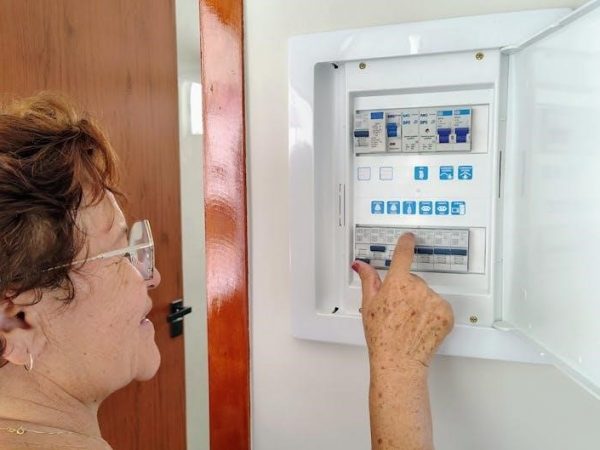
A tripped circuit breaker could also be the culprit; check your home’s electrical panel and reset any tripped breakers. If the problem persists‚ consider a power strip or surge protector‚ ensuring it’s functioning correctly.
Tank Connection Issues
A frequent cause of humidifier malfunctions involves problems with the water tank connection. Ensure the tank is properly seated and securely “clicked” into place‚ as a loose connection can interrupt the power supply or water flow. Some models require repeated seating and resetting of the tank to establish a reliable connection‚ a common complaint among users.
Inspect the tank’s connector points for any debris or mineral buildup that might obstruct a firm seal. Carefully clean these areas with a damp cloth. If the issue continues‚ the tank’s connector or the humidifier’s receiving port may be damaged‚ requiring replacement.
Internal Fuse Check
If your Honeywell humidifier fails to power on‚ an internal fuse could be the culprit. Before attempting any repairs‚ always disconnect the humidifier from the power outlet to ensure electrical safety. Locate the fuse compartment‚ typically found near the power cord entry point‚ and consult your specific model’s diagram if needed.
Carefully remove the fuse and visually inspect it for any signs of breakage or a blown filament. If the fuse appears damaged‚ replace it with a fuse of the exact same amperage rating. Using an incorrect fuse can create a fire hazard or further damage the humidifier.
Water Leaks
Water leaks from your Honeywell humidifier can indicate several issues requiring immediate attention. A common cause is a cracked water tank‚ often due to age or physical damage. Inspect the tank thoroughly for any visible cracks and replace it if found. Also‚ check all connections and fittings – hoses‚ couplings‚ and the tank-to-base seal – ensuring they are tight and properly aligned.
Another potential source is an overflowing drip pan‚ usually caused by a malfunctioning float valve or excessive water supply. Regularly clean the drip pan to prevent buildup and ensure proper drainage. Addressing leaks promptly prevents water damage and maintains humidifier efficiency.
Cracked Water Tank
A cracked water tank is a frequent cause of leaks in Honeywell humidifiers‚ often stemming from age‚ material fatigue‚ or accidental impact. Carefully inspect the entire tank surface‚ including seams and the base‚ for any visible fissures or breaks. Even hairline cracks can lead to significant water loss over time‚ potentially damaging surrounding surfaces.
If a crack is detected‚ immediate replacement of the tank is crucial. Attempting repairs with sealants is generally not recommended as they are often temporary and may not withstand the constant water pressure. Ensure the replacement tank is specifically designed for your Honeywell humidifier model for a proper fit and optimal performance.
Loose Connections & Fittings
Water leaks often originate from loose connections within your Honeywell humidifier’s plumbing system. Thoroughly examine all fittings‚ hoses‚ and connections – particularly where the water supply line connects to the humidifier and at the tank’s inlet/outlet points. Gently tighten any loose connections by hand; avoid over-tightening‚ which could damage the plastic components.
Inspect the hoses for cracks or wear‚ replacing them if necessary. Ensure clamps are securely fastened and providing a tight seal. Regularly checking these connections as part of your maintenance routine can prevent significant water damage and maintain efficient humidifier operation.
Overflowing Drip Pan
An overflowing drip pan indicates an issue with water regulation or drainage within your Honeywell humidifier. This commonly occurs when the float valve malfunctions‚ allowing excessive water to enter the system. Inspect the float valve for obstructions or damage‚ replacing it if necessary to restore proper water level control.
Ensure the drain line connected to the drip pan is clear and unobstructed‚ allowing water to flow freely. Regularly cleaning the drip pan prevents buildup and maintains its capacity. Addressing an overflowing drip pan promptly prevents water damage and ensures efficient humidifier operation.
Strange Noises
Unusual sounds emanating from your Honeywell humidifier often signal mechanical issues requiring attention. Common culprits include the blower wheel or motor. A rattling or scraping noise suggests a problem with the blower wheel‚ potentially due to debris or damage – inspection and cleaning are crucial.
Humming or grinding sounds may indicate motor problems‚ potentially requiring professional repair or replacement. Regularly checking and maintaining these components ensures quiet operation and extends the humidifier’s lifespan. Ignoring strange noises can lead to further damage and reduced efficiency.
Blower Wheel Issues
A malfunctioning blower wheel is a frequent cause of noise and reduced mist output in Honeywell humidifiers. Debris accumulation‚ such as mineral deposits or dust‚ can obstruct the wheel’s rotation‚ leading to rattling or scraping sounds. Inspect the blower wheel regularly for visible obstructions and carefully clean it with a soft brush and appropriate cleaning solution.
If the wheel is damaged – cracked or broken – replacement is necessary. Ensure the new wheel is correctly installed and securely fastened to prevent further issues. A properly functioning blower wheel is vital for efficient moisture distribution throughout your home.

Motor Problems
Humidifier motor failures can manifest as a complete lack of operation or unusual humming sounds. Before assuming a motor issue‚ verify the power supply and check for any obstructions hindering the blower wheel’s movement. If the motor isn’t responding‚ a potential internal fault may exist‚ requiring professional diagnosis or replacement.
Attempting to repair a humidifier motor yourself can be dangerous; always disconnect power before inspection. Replacement motors should be specifically designed for your Honeywell humidifier model to ensure compatibility and safe operation. Ignoring motor problems can lead to further damage and potential safety hazards.

Honeywell Humidifier Maintenance
Regular upkeep‚ including cleaning‚ panel/wick replacement‚ filter changes‚ and drip pan maintenance‚ is crucial for efficient operation and longevity of your Honeywell humidifier.
Regular Cleaning Schedule
Establishing a consistent cleaning schedule is paramount for maintaining a healthy and efficient Honeywell humidifier. Weekly‚ inspect the water tank for mineral buildup and clean with a mild vinegar and water solution. Thoroughly rinse afterward.
Monthly‚ disinfect the tank and drip pan to prevent mold and bacterial growth. Replace the water panel/wick every 3-6 months‚ or as needed‚ depending on water hardness and usage. Don’t forget to clean the blower wheel and inspect all connections for leaks.
Consistent cleaning ensures optimal performance‚ prevents unpleasant odors‚ and extends the lifespan of your humidifier‚ contributing to improved indoor air quality and overall well-being.
Water Panel/Wick Replacement
The water panel‚ or wick‚ is crucial for absorbing water and facilitating evaporation. Replace it every 3-6 months‚ or more frequently with hard water‚ to maintain optimal humidity output and prevent mineral buildup.
Begin by disconnecting the humidifier from power. Remove the old panel‚ noting its orientation for correct installation of the new one. Ensure the replacement panel fits snugly within its housing‚ allowing for complete water absorption.
A clean‚ functioning water panel ensures efficient moisture distribution and prevents the growth of mold and bacteria‚ contributing to healthier indoor air.
Filter Replacement
Honeywell humidifiers often include filters to remove impurities from the water‚ extending the lifespan of the unit and improving air quality. Replace these filters every 3-6 months‚ depending on water hardness and usage.
First‚ disconnect the humidifier from its power source. Locate the filter compartment‚ usually accessible after removing the water tank. Remove the old filter and discard it properly.
Install the new filter‚ ensuring it’s correctly positioned. Regular filter replacement prevents mineral buildup and maintains efficient humidifier operation‚ delivering clean‚ healthy moisture to your home.
Drip Pan Cleaning
The drip pan collects excess water‚ preventing leaks and potential water damage. Regularly cleaning this component is crucial for maintaining hygiene and preventing mold or mildew growth.
Begin by disconnecting the humidifier from the power outlet. Locate the drip pan‚ typically found beneath the water tank or main unit. Carefully remove the drip pan and empty any accumulated water.
Wash the drip pan with mild soap and warm water‚ thoroughly rinsing to remove all residue. Dry completely before reinstalling it into the humidifier. Aim to clean the drip pan monthly‚ or more frequently with heavy use.
Honeywell Humidifier Parts & Replacement
Replacing worn or damaged components ensures optimal humidifier function and longevity; readily available parts include float valves‚ caps‚ and circuit boards.
Float Valve Inspection & Replacement
Regularly inspect the float valve for obstructions or damage‚ as a malfunctioning float can prevent proper water intake‚ leading to insufficient humidity. A damaged float may hinder the inlet valve from opening‚ effectively starving the humidifier of water; Carefully examine the float for any cracks‚ holes‚ or debris accumulation. If the float appears obstructed‚ gently clean it with water and a mild detergent.
If the float is damaged beyond cleaning‚ replacement is necessary. Disconnect the humidifier from the power source before attempting any repairs. Locate the float valve assembly and carefully detach it‚ noting the orientation of the components. Install the new float valve‚ ensuring it’s securely connected and properly aligned. Proper float valve function is crucial for consistent humidifier operation.
Cap‚ Lid & Cover Replacement
Maintaining the integrity of your Honeywell humidifier’s cap‚ lid‚ and cover is essential for safe and efficient operation. These components prevent water spillage and ensure proper airflow. Cracks or breaks in these parts can lead to leaks and reduced humidity output. Regularly inspect these areas for damage‚ paying close attention to the sealing surfaces.

When replacing a cap‚ lid‚ or cover‚ ensure you obtain the correct replacement part specifically designed for your humidifier model. Disconnect the power before any repair. Carefully remove the damaged component and install the new one‚ ensuring a snug and secure fit. Proper sealing is vital to prevent water damage and maintain optimal performance.
Circuit Board & Timer Replacement
The circuit board and timer are the brains of your Honeywell humidifier‚ controlling its various functions. If your humidifier exhibits erratic behavior‚ fails to respond to settings‚ or doesn’t power on consistently‚ these components may be faulty. Replacement requires careful attention to detail and electrical safety precautions – always disconnect power first!
When replacing‚ carefully document the wiring connections before disconnecting the old board. Ensure the new circuit board or timer is an exact match for your model. Reconnect wires precisely as they were‚ and test the humidifier thoroughly after installation. Incorrect wiring can cause further damage or pose a safety hazard.
Compressor & Sealed System Replacement
Replacing the compressor and sealed system within a Honeywell humidifier is a complex task best left to qualified HVAC technicians. This system contains refrigerant‚ requiring specialized tools and EPA certification for handling. Signs of failure include insufficient mist production despite proper water levels‚ unusual noises emanating from the unit‚ or a complete lack of cooling within the system.
Attempting a DIY repair without proper training can lead to refrigerant leaks‚ system damage‚ and potential health hazards. Professional replacement ensures the system is properly sealed‚ charged with the correct refrigerant‚ and operates efficiently and safely. Always prioritize professional assistance for this component.
Drip Bowl & Drip Pan Replacement
Regularly inspect the drip bowl and drip pan of your Honeywell humidifier for cracks‚ corrosion‚ or excessive buildup of mineral deposits. These components collect excess water and prevent leaks‚ but can deteriorate over time. A damaged drip pan can lead to water damage on floors and surrounding surfaces.
Replacement is straightforward: disconnect power‚ remove the old pan‚ clean the area‚ and install the new one‚ ensuring a secure fit. Consider using a pan liner for added protection and easier cleaning. Proper maintenance of these parts prevents costly water damage and maintains humidifier functionality.
Duct & Venting Replacement
Honeywell humidifier duct and venting systems distribute humidified air throughout your home. Over time‚ these components can become damaged‚ blocked with dust‚ or develop leaks‚ reducing efficiency and air quality. Inspect ducts for tears or disconnections‚ and vents for obstructions.
Replacing damaged sections requires disconnecting the humidifier‚ carefully removing the old ductwork‚ and securely attaching new pieces with appropriate connectors and sealant. Ensure proper airflow and avoid kinks or sharp bends. Maintaining clear and intact ducting optimizes humidity distribution and prevents potential mold growth within the system.
Fastener Replacement
Honeywell humidifiers utilize various fasteners – screws‚ clips‚ and bolts – to secure components. These can loosen or corrode over time‚ leading to instability or leaks. Regularly inspect all visible fasteners during maintenance‚ tightening any that are loose. If a fastener is stripped or severely corroded‚ it must be replaced.
Use fasteners of the correct size and material to ensure a secure fit and prevent damage to humidifier parts. Applying a small amount of thread locker can help prevent future loosening. Proper fastener maintenance contributes to the overall safety and longevity of your Honeywell humidifier system.

Advanced Troubleshooting
For complex issues‚ consider pressure switch bypasses (HE280)‚ solenoid valve testing‚ and a thorough review of the Honeywell humidifier’s wiring diagram.
Pressure Switch Bypass (HE280 Model)
For the Honeywell HE280 model‚ a common issue involves the pressure switch failing to register sufficient airflow from the ductwork. This prevents the solenoid valve from opening and delivering water to the humidifier.
Bypassing the pressure switch can confirm if it’s the root cause. However‚ this should only be done for diagnostic purposes‚ as it removes a crucial safety feature. If bypassing resolves the issue‚ it indicates insufficient air movement or a faulty pressure switch requiring replacement.
Remember the wiring diagram is essential for safe and correct bypassing. Ensure power is off before attempting any electrical work‚ and proceed with caution.
Solenoid Valve Testing
A malfunctioning solenoid valve prevents water flow to the humidifier‚ resulting in no mist production. Testing involves verifying it receives voltage when the humidifier calls for water.
Using a multimeter‚ check for continuity across the solenoid valve’s terminals when energized. A lack of continuity indicates a faulty valve needing replacement. Before testing‚ ensure the power supply is disconnected for safety.
Also‚ inspect the valve for physical obstructions or corrosion. Amazon offers replacement solenoid valves specifically for Honeywell humidifiers‚ simplifying the repair process.
Wiring Diagram Review
Consulting the Honeywell humidifier’s wiring diagram is crucial for accurate troubleshooting‚ especially when dealing with electrical issues or solenoid valve malfunctions. The diagram illustrates the connections between the power source‚ control board‚ pressure switch‚ and solenoid valve.
Understanding the diagram reveals that multiple conditions must be met before the solenoid valve receives voltage‚ enabling water flow.
Bypassing the pressure switch (HE280 model) can confirm if it’s the source of the problem‚ but always prioritize safety and disconnect power before any wiring adjustments.

Safety Precautions
Always disconnect power before maintenance; use quality water to prevent mineral buildup; and properly dispose of old parts for environmental responsibility and safety.
Electrical Safety
Prioritize electrical safety when servicing your Honeywell humidifier. Always disconnect the unit from the power source before performing any maintenance or troubleshooting. Never attempt repairs with wet hands or while standing in water. Inspect the power cord regularly for damage‚ and replace it immediately if fraying or exposed wires are detected.
Avoid using extension cords‚ as they can pose a tripping hazard and may not be rated for the humidifier’s power requirements. If an extension cord is absolutely necessary‚ ensure it is heavy-duty and properly grounded. Be cautious of electrical components and wiring‚ and if you are uncomfortable working with electricity‚ consult a qualified technician.
Water Quality Considerations
Maintaining optimal water quality is crucial for humidifier performance and longevity. Using distilled or demineralized water is highly recommended to minimize mineral buildup‚ preventing clogging and extending the lifespan of the water panel/wick. Tap water often contains minerals that can create scale‚ reducing efficiency and potentially releasing white dust into the air.
Regularly flush the water tank and drip pan to prevent bacterial growth and maintain cleanliness. Consider using a humidifier cleaning solution periodically to disinfect the system. Avoid adding any chemicals or fragrances to the water‚ as these can damage the unit and affect air quality.
Proper Disposal of Old Parts
When replacing humidifier components‚ responsible disposal of old parts is essential for environmental protection. Many parts‚ like circuit boards and compressors‚ contain electronic components that require specialized recycling. Do not dispose of these items with regular household waste.
Check with your local waste management authorities for designated electronic recycling drop-off locations. Plastic components can often be recycled‚ but verify local guidelines. Properly discarding old parts prevents harmful materials from entering landfills and contributes to a sustainable environment;